How to set up the electronics on a fishing boat: sounders, GPS and radar
varsha October 14, 2026 0 COMMENTS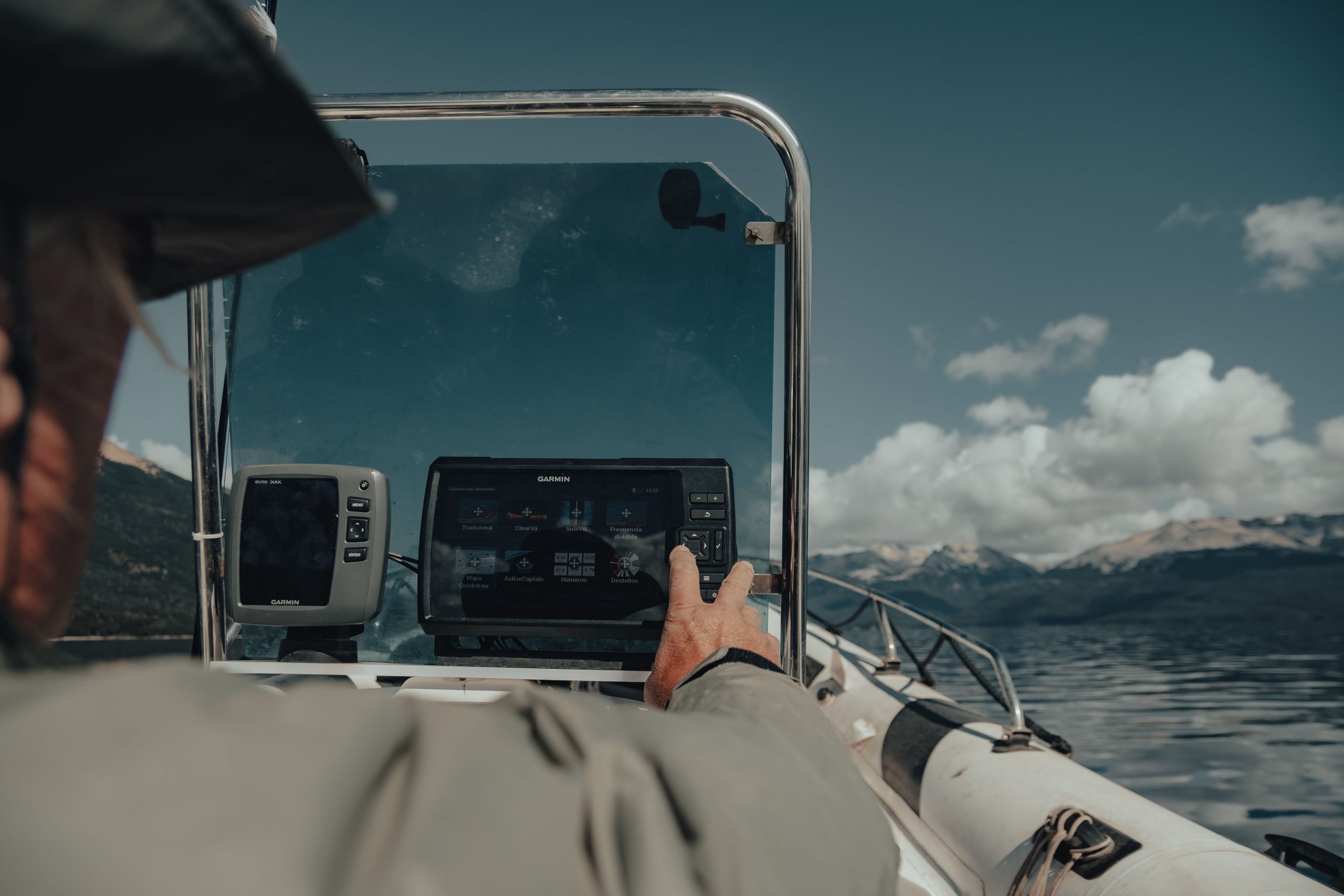
Setting up marine electronics correctly can make fishing, navigation and offshore boating much easier. A practical system usually combines a sounder or fish finder to understand what is beneath the boat, GPS and chartplotting for navigation, and radar for identifying surrounding targets when visibility or conditions become challenging.
TL;DR: Install the transducer correctly, position displays where they are easy to read from the helm, configure GPS and charts before leaving, and learn how each system works. Modern multifunction displays can combine sonar, mapping, radar and other data, but more technology is only useful when you know how to interpret it.
What electronics should you install on a fishing boat?
The right electronics package depends on where you fish, how far offshore you travel and how much navigation information you need.
| Equipment | Main purpose | Best use |
| Fish finder/sounder | Shows underwater depth, structure and sonar returns | Finding fish and fishing structure |
| GPS/chartplotter | Shows position and marine charts | Navigation and marking waypoints |
| Radar | Detects targets around the boat | Situational awareness and poor visibility |
| VHF radio | Marine communication | Safety and communication |
| AIS | Displays information from equipped vessels | Traffic awareness |
A 2025 Garmin guide distinguishes fish finders from chartplotters by noting that fish finders focus primarily on sonar, while chartplotters can combine mapping with additional equipment such as radar and advanced sonar.
How should you set up a fish finder and transducer?
A fish finder uses sonar to interpret what is beneath the boat, but its performance depends heavily on the transducer installation. The transducer needs a clean flow of water and must be positioned according to the equipment manufacturer’s specifications.
For fishing, configure the display so that depth, bottom contours, structure and sonar returns are easy to identify. Learning how to read a fish finder is just as important as buying a sophisticated unit because not every mark represents a fish.
Before relying on the system offshore, test it at different speeds and depths to confirm that readings remain stable.
How do you configure GPS and a marine chartplotter?
GPS provides your position, while a chartplotter combines positioning information with electronic marine charts. The system can then help you navigate to waypoints, fishing grounds, ramps and other locations.
Useful waypoints include:
- Boat ramps and marinas
- Fishing marks and reefs
- Safe anchorages
- Harbour entrances
- Navigation hazards
- Emergency reference locations
Chartplotters are increasingly becoming the central control point for marine electronics.
Where should marine electronics be positioned at the helm?
Displays should be positioned so the skipper can read essential information without taking unnecessary attention away from the water. Screen glare, viewing angle, standing and seated helm positions and weather exposure all matter.
Consider:
- Screen visibility in direct sunlight
- Waterproofing
- Physical protection
- Cable routing
- Power requirements
- Access to controls
- Space for future upgrades
This is particularly useful when considering hard top fishing boats, where a protected helm can provide practical space for displays, antennas and communication equipment.
How does radar work on a fishing boat?
Marine radar transmits radio waves and interprets the returning signals to identify targets and their distance and bearing. It can help identify other vessels, shorelines, birds and weather-related targets.
A 2026 Garmin explanation notes that radar can improve situational awareness in rain, fog and other low-visibility conditions. Radar is most useful when the operator understands how to interpret the screen. It should supplement, rather than replace, a proper visual lookout and navigation practices.
How should you test marine electronics before going offshore?
Never make the first serious test of new electronics on a long offshore trip. Spend time learning the menus, marking waypoints, changing chart scales and understanding sonar and radar displays in familiar waters.
Check that:
- GPS position is accurate
- Charts are current
- The sounder displays a sensible depth
- The transducer gives consistent readings
- Radar powers up correctly
- VHF operates correctly
- Batteries have adequate capacity
- Cables and connectors are secure
A 2025 Garmin software update also demonstrated how connected chartplotters can receive improvements to AIS warning functions, highlighting the growing importance of keeping compatible marine electronics updated.
What are the most common mistakes when setting up boat electronics?
Buying equipment without considering installation is one of the most common mistakes. A powerful sounder cannot compensate for a poorly positioned transducer, while a radar system is of limited value if the operator does not understand its display.
Other mistakes include:
- Installing screens where glare makes them difficult to read
- Ignoring electrical requirements
- Using outdated charts
- Poor cable management
- Skipping software updates
- Installing too many screens without a clear purpose
- Failing to practise with the system
The best setup is not necessarily the one with the most equipment. It is the one that provides useful information quickly and reliably.
How should you choose electronics for a new fishing boat?
Marine electronics should match the boat’s intended use rather than simply its price or specification sheet. A reliable sounder, clear chartplotter and appropriately installed radar can create a practical helm when each system has a defined purpose.
For buyers comparing fishing boat layouts and technology-ready offshore platforms, the current Bar Crusher range is another useful example of how hull design, helm protection and fishing functionality can be considered together when selecting a boat.




Latest Articles
 SYFM Meaning Explained: Is This Texting …In Social Media
- How Much Working Capital Do You Need Acc…In Business
- What Does NM Mean in Text Message? Know …In Social Media
- Best Premium Laptops for Productivity &#…In Tech
- What Does ICL Mean in Texting? Meaning, …In Social Media
- What Does Igh Mean in Text? Decode This …In Social Media
- What Does GNG Mean in Texting? 2 Meaning…In Social Media
- Buying a Used Car? Your Insurance Quote …In Insurance