
Breaking Down Refurbished vs. Used vs. Certified Refurbished: What Do the Terms Really Mean?
varsha September 2, 2025 0 COMMENTS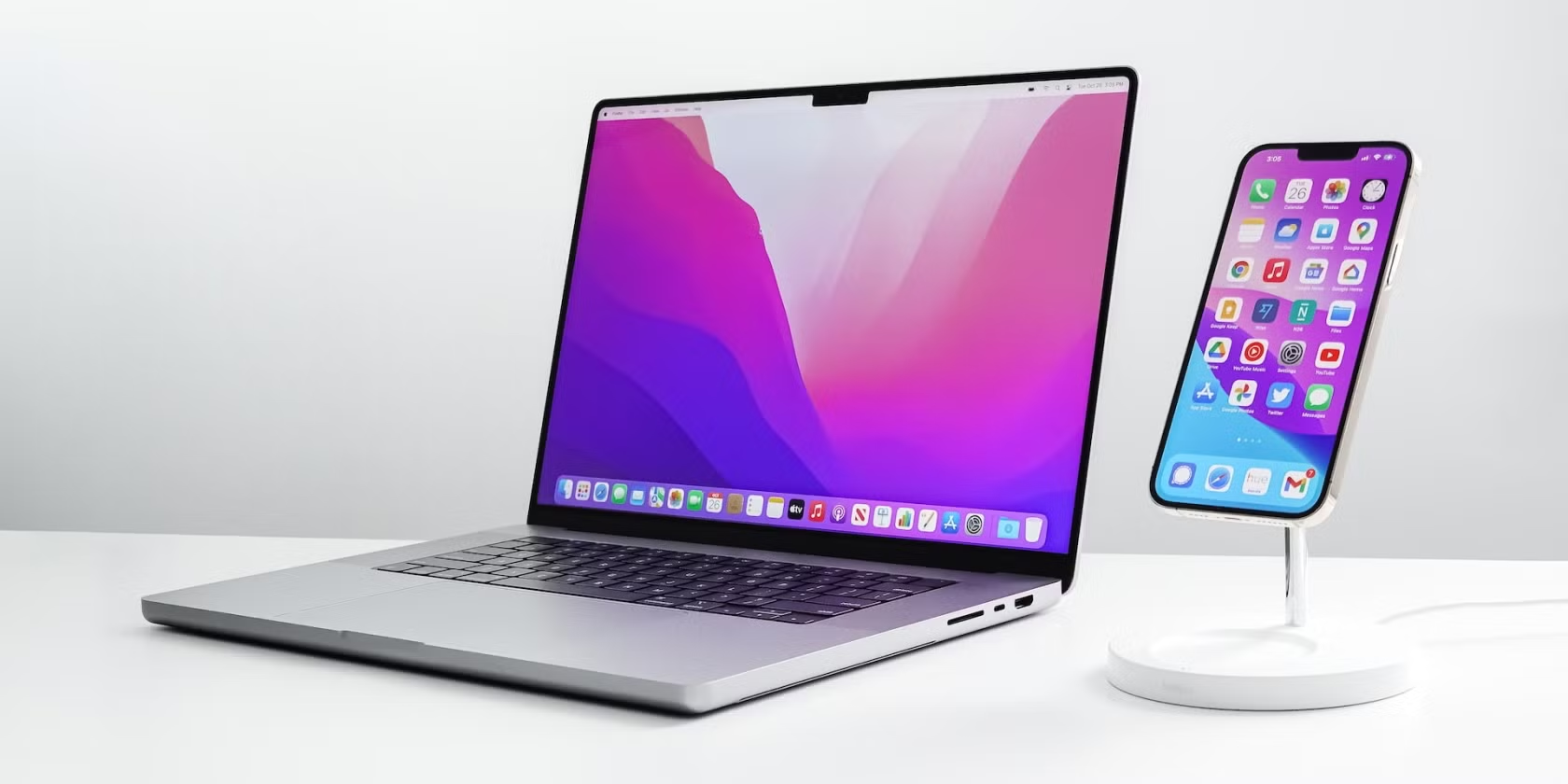
The appeal of owning a MacBook is obvious: sleek design, long battery life, reliable performance, and seamless integration with Apple’s ecosystem. The downside? The price tag. For many buyers, spending over a thousand dollars on a brand-new MacBook just isn’t realistic. That’s why alternative options such as used, refurbished, and certified refurbished MacBooks have grown in popularity.
But here’s the catch: these terms are often thrown around loosely by sellers, and not everyone means the same thing. One seller’s “refurbished” could simply mean they gave the laptop a quick wipe-down, while another might have put the device through rigorous testing and component replacement. To shop confidently, you need to know exactly what each category entails, what risks are involved, and which option makes the most sense for your needs.
What Does “Used” Really Mean?
A used MacBook is the most straightforward of the three categories. It’s a laptop that someone owned and is now selling, often without professional intervention. These are common on sites like eBay, Craigslist, or Facebook Marketplace, where individuals list their old devices.
The main advantage of buying used is the lower upfront cost. You can sometimes find surprisingly cheap deals if the seller simply wants to upgrade and offload their old machine quickly. However, used laptops are sold “as-is,” meaning you inherit all of their quirks, issues, and wear.
Potential risks include:
- Battery degradation (most MacBooks lose capacity over time, especially after hundreds of charge cycles).
- Cosmetic damage like scratches, dents, or keyboard wear.
- Hidden issues such as faulty ports, swollen batteries, or overheating.
- No warranty — once money changes hands, you’re on your own.
Used MacBooks can be a decent option if you’re tech-savvy enough to thoroughly test the device before purchase, or if you’re comfortable making minor repairs. For the average buyer, though, it’s the riskiest route.
How Refurbished Differs from Used
Refurbished MacBooks sit in a very different category. These laptops may have been returned, traded in, or previously owned, but unlike a simple used device, they go through a structured process of inspection and restoration.
A reputable refurbisher will:
- Test hardware thoroughly, including the keyboard, trackpad, ports, and speakers.
- Replace defective parts such as batteries, SSDs, or screens.
- Reinstall a clean copy of macOS.
- Clean and repackage the device, often with new accessories.
Many sellers also apply a grading system to set expectations. For instance, “Grade A” might mean the laptop looks nearly new, while “Grade B” could indicate minor scuffs. These grading details help buyers choose between saving more money and accepting some cosmetic wear.
Perhaps the most important difference from “used” is that refurbished laptops usually come with a warranty, even if it’s just 3–12 months. This safety net makes a huge difference, giving buyers peace of mind that they won’t be left stranded if a component fails.
This is why refurbished macbooks have become so popular: they strike the balance between affordability and reliability. You still save a significant amount compared to buying new, but you avoid many of the pitfalls that come with buying used from private sellers.
Certified Refurbished: The Gold Standard
When you see the term certified refurbished, it usually means the refurbishing was carried out or officially authorized by the original manufacturer. For MacBooks, this means the Apple Refurbished Store.
Apple’s refurbishment process is especially rigorous. Devices undergo a full diagnostic test, defective parts are replaced with genuine Apple components, and batteries and outer shells are often swapped entirely. These laptops come with a new serial number, a one-year warranty, and eligibility for AppleCare. In most cases, they are virtually indistinguishable from new devices except for the packaging.
The trade-off is price: certified refurbished MacBooks are typically more expensive than those sold by third-party refurbishers. However, you are effectively buying a near-new device at a discount, with Apple itself standing behind the product. For risk-averse buyers, this category is the safest choice.
Choosing the Right Option
So, which type of MacBook should you choose? The answer depends on your budget, risk tolerance, and technical confidence.
- Used: Cheapest, but highest risk. Best suited to buyers who know how to check battery health, inspect for liquid damage, and verify activation lock status.
- Refurbished: Balanced option. Ideal for most buyers who want savings but also want a warranty and assurance that the laptop has been tested.
- Certified Refurbished: Safest, but less savings compared to other refurb options. Perfect for those who want Apple-backed quality without paying full retail.
Final Thoughts
The terminology around used, refurbished, and certified refurbished can feel like marketing jargon, but the differences are real and significant. Understanding what each label means helps you avoid disappointment, wasted money, or even scams.
A used MacBook might work well for a bargain hunter who knows how to spot red flags. Refurbished models offer the sweet spot for most buyers, blending affordability with confidence. Certified refurbished MacBooks, meanwhile, give you almost all the benefits of buying new while still trimming costs.
By knowing these distinctions, you can shop smarter, ask better questions, and choose the option that matches both your budget and your peace of mind.

RELATED ARTICLES


Latest Articles
 People Over Papers: Protecting Immigrant…In General
 Budget Vs. Quality: Comparing Pre-school…In Business
 Instagram IP Address Blocked: How Long I…In Technology
 Fast, compliant global background screen…In Tech Startups
 Balancing Investment and Protection with…In Insurance
 Japan Tour Packages for Travellers Who W…In Tips
 Getting What You Need: Align Your Action…In General
 Preventing Dust Damage With Proper Lapto…In Gadgets