Creating a strong CV is essential for standing out in today’s competitive job market. A professional resume not only showcases your skills and experience but also reflects your personal brand to potential employers. Traditional word processors can make it difficult to create a visually appealing and organized CV.
A CakeResume CV offers a modern solution with ready-made templates, easy editing, and multimedia support. It allows you to present your experience clearly and professionally, helping you leave a lasting impression on hiring managers. This guide covers CakeResume’s features, login, downloads, free usage, and tips for crafting an effective CV.
What Is CakeResume CV?

CakeResume CV is unlike traditional resumes created in Microsoft Word or Google Docs. It allows you to design a visually structured CV online. Its platform combines design simplicity with content clarity, giving you complete control over how your professional story is presented.
CakeResume supports multiple sections such as personal information, education, work experience, skills, certifications, and projects. You can also embed links, images, or videos to showcase your work. This flexibility makes CakeResume suitable for a wide range of industries, from creative fields like design and marketing to corporate sectors like finance and consulting. The platform is especially useful if you want your CV to feel personal, professional, and easy to update.
Key Features of CakeResume
CakeResume offers features that make CV creation fast, clear, and professional. These features focus on helping you present your career information effectively while keeping your resume visually appealing.
Professional Templates
The platform provides a variety of templates designed for readability and structure. You can select layouts based on your industry and experience, ensuring your CV looks polished without manual formatting.
Drag-and-Drop Editor
The drag-and-drop editor lets you reorder sections quickly. For example, you can move skills above work experience to emphasize what’s most relevant for a particular job.
Multimedia Support
CakeResume allows you to embed images, links, or videos to support your work experience. This is especially useful for roles in design, marketing, or development, where showcasing work samples adds credibility.
Online Sharing and Download Options
You can download your CV as a PDF or share it via a unique online link. Both options make applying easier while maintaining professional formatting.
Features at a Glance
Here’s a quick summary of what CakeResume offers, showing what’s available for free versus paid plans:
| Feature | Free Plan | Paid Plan | Notes |
| CV Templates | Limited access | Full access | Free templates are enough for most users |
| CV Download (PDF) | Available | Available | Keeps formatting and design intact |
| Online CV Link | Available | Available | Shareable link for recruiters to view online |
| Multimedia Support | Supported | Supported | Add images, links, or videos |
| Multiple CVs | Not available | Available | Paid plan allows managing multiple CVs |
| Premium Templates | Not available | Available | More design options for professional CVs |
| ATS Optimization | Limited | Limited | Focus on content clarity manually |
| Editing Dashboard | Available | Available | Drag-and-drop interface for easy editing |
CakeResume Login
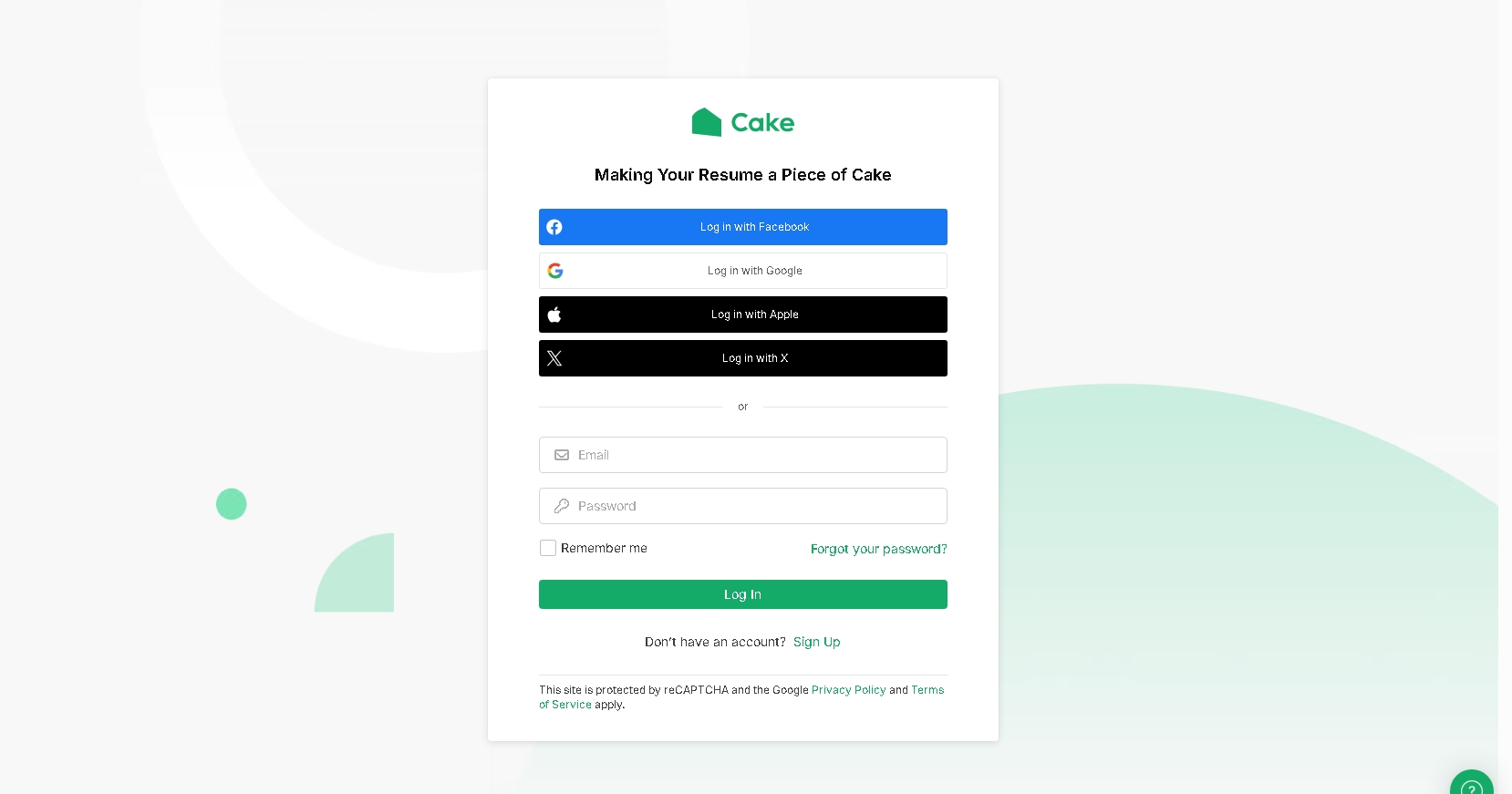
Before creating or editing a CV, you need to access your account. Logging in is straightforward and provides full control over your resumes.
Here’s how you can log in and manage your CVs efficiently:
- Go to the CakeResume website.
- Click on the Login button at the top right corner.
- Enter your registered email and password.
- Or, sign in using Google or LinkedIn.
- Access your dashboard containing all your saved CVs, drafts, and templates.
- From the dashboard, edit, duplicate, or delete any CV.
- Manage multiple CV versions efficiently for different applications.
CakeResume CV Download
After creating your CV, downloading it is simple and ensures your resume retains its formatting. CakeResume supports PDF export for formal submissions and online sharing for quick access.
You can choose layout options before exporting, ensuring that your CV looks professional across all platforms. The shareable online link also allows recruiters to view your profile digitally.
CakeResume CV Free
CakeResume allows you to create a cakeresume cv free of charge. The free plan includes access to professional templates, basic editing tools, and PDF downloads.
While premium features such as multiple CVs and additional templates require a paid plan, the free version is sufficient for most users to create an impressive, professional CV.
How to Create Your CakeResume CV (Step-by-Step)

Creating a CV on CakeResume is simple and structured. Following these steps ensures your CV is professional and complete:
- Sign Up and Dashboard Overview
Create your account and access your dashboard, where all CVs and drafts are stored. - Choose a Template
Select a layout suitable for your industry and experience. - Fill in Your Details
Add your personal information, work experience, skills, and education. Focus on achievements rather than responsibilities. - Customize Sections
Include projects, certifications, or languages if relevant. Add multimedia links when necessary. - Export and Share
Download as PDF or share the online link. Update anytime without starting over.
CakeResume vs Other CV Builders
Choosing the right tool depends on your needs. CakeResume offers a balance between design and content clarity, while other options focus on traditional formats or AI-guided suggestions.
Traditional Word or Google Docs
- Full control but time-consuming formatting.
- Risk of layout inconsistencies.
- CakeResume provides structured templates that save time.
Other Online CV Builders
- Some offer AI writing or ATS optimization.
- CakeResume emphasizes clarity, visuals, and simple editing.
- Ideal if you want a professional CV quickly without overwhelming options.
Pros and Cons of Using CakeResume
Like any platform, CakeResume has advantages and limitations.
Advantages
- Drag-and-drop editor makes customization easy.
- Professional templates save time and maintain readability.
- Shareable online link for recruiters.
- Multimedia support for creative and technical roles.
Limitations
- Limited ATS optimization; careful keyword placement required.
- Multiple CVs require a paid plan.
- Highly styled templates may not suit traditional industries.
Tips for Writing a High-Impact CakeResume CV
Creating a high-impact CV involves more than choosing a template. Consider these tips:
- Tailor for Each Job Role: Adjust skills and experience to align with job requirements.
- Highlight Achievements: Include measurable results rather than listing responsibilities.
- Use Clear Language: Short, direct sentences improve readability.
- Organize Sections Wisely: Include only relevant sections to avoid clutter.
- Review Thoroughly: Check for grammar errors, consistency, and formatting before sharing.
Wrapping Up
A cakeresume cv is a modern and efficient way to create a professional resume. Its templates, drag-and-drop editor, and multimedia support allow you to present your skills, achievements, and experience clearly and professionally.
By focusing on content clarity, measurable results, and role-specific tailoring, your CV can leave a lasting impression on recruiters. Whether you use the free plan or upgrade to a paid plan, CakeResume provides the tools to present your best professional self efficiently and effectively.
Frequently Asked Questions (FAQs)
Q1. Is CakeResume free to use?
Yes, CakeResume offers a free plan that includes templates, editing tools, and PDF downloads for creating a professional CV.
Q2. Can I download my CakeResume CV as a PDF?
Absolutely, you can export your CV as a PDF while keeping the layout and formatting intact for job applications.
Q3. Can I create multiple CVs on CakeResume?
The free plan allows only one CV. Multiple CVs require upgrading to a paid plan.
Q4. Does CakeResume support multimedia content?
Yes, you can add images, links, and videos to showcase your work, which is helpful for creative and technical roles.
Q5. Is CakeResume suitable for all industries?
CakeResume works best for creative, tech, and marketing roles, though minimalist designs can fit corporate or traditional fields.



Latest Articles
 Arattai App Review: What Makes It Differ…In App
- How to set up the electronics on a fishi…In Automotive
- SYFM Meaning Explained: Is This Texting …In Social Media
- How Much Working Capital Do You Need Acc…In Business
- What Does NM Mean in Text Message? Know …In Social Media
- Best Premium Laptops for Productivity &#…In Tech
- What Does ICL Mean in Texting? Meaning, …In Social Media
- What Does Igh Mean in Text? Decode This …In Social Media