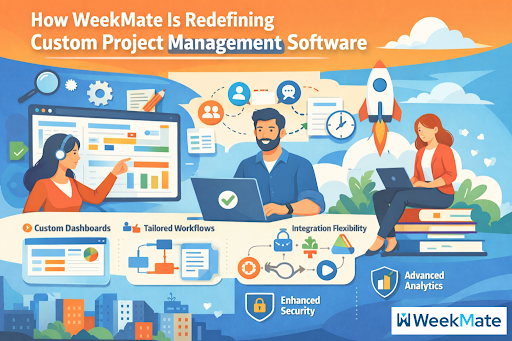
In 2026, companies aren’t just scaling but morphing at light speed. Still, many use clunky, off-the-shelf project management software tools that feel more like a restriction than a helping hand. That’s where custom project management software steps in, and WeekMate is leading the charge as one of today’s smartest modern project management solutions.
WeekMate’s TaskHub isn’t just another run-of-the-mill app. It’s a dynamic, AI-driven solution designed for real teams managing real chaos. Whether you’re a startup founder or an enterprise ops leader, it scales to your processes rather than forcing you to scale to it. We’ll also cover why the inflexible tools you’re now using are holding you back, how WeekMate turns the concept of flexible workflow software, and why migrating to custom project management software might be your best business decision this year.
The Shift Toward Custom Project Management Software
Remember a time when “good enough” software was good enough? Those days are gone. Today’s teams span time zones, handle complex deliverables, and pivot faster than ever. One-size-fits-all project management tools are not enough, because every business has a different workflow, clients and stage of growth.
The digital transformation megatrend has supercharged this shift. Companies now want tools that can scale with them, from two-person startups to 200-person agencies. The need for customizable workflow applications is booming as organizations seek control. Instead, they can design processes that reflect how they actually work, not a templated version conceived by a developer who has never met their team.
That is indeed why custom project management software is thriving. It grants you agency. And WeekMate makes it realistic, cost-effective and astonishingly easy to start using.
Key Challenges with Traditional Project Management Tools
Let’s face it: most legacy project management tools look like they were made in 2010 and haven’t been updated since. Here’s what typically goes wrong:
- Inflexible workflows that require your team to conform to someone else’s idea of “standard.”
- Nearly no customization, so you’re always working around the software instead of with it.
- Subpar integration options force you to copy your data into five different applications.
- Lags in team collaboration software, where messages are lost, files are stored across 10 platforms, and accountability melts away.
- It has limited reporting and time-tracking capabilities and provides yesterday’s information rather than real-time insights.
The result? Deadlines are missed, teams are left frustrated, and projects quietly bleed money.
What Makes WeekMate Different?
WeekMate is not just ticking off the required items; it re-evaluates the entire cycle. Here’s how its TaskHub module stands out.
Full Flow Customisation
Custom project management software like WeekMate lets you customize rather than being stuck with someone else’s template. Create workflows tailored to industry, team size, or client type. Need subtasks with dependencies for software sprints? Done. Need a totally different flow for marketing campaigns? Drag, drop, and automate it in minutes. And as your company grows or shifts, your processes evolve with it, without costly rebuilds.
Capability Of Flexible Workflow Software
WeekMate shines as flexible workflow software in the truest sense. It comes with a drag-and-drop designer that allows anyone, not only hackers, to design processes. Automation rules take care of the know-the-drill stuff – notifications, status updates, even deadline reminders. With real-time updates, the entire team is aware of changes as they happen, enabling them to say goodbye to version-control nightmares. This is the type of flexible workflow software that actually empowers rather than overwhelms.
Team Collaboration Software that Works Better
No more scrambling to find the latest file or wondering who is doing what. WeekMate’s team collaboration software provides a unified environment for communication, delegation, and notification, keeping your team aligned and always informed. Discussion threads remain linked to tasks , so you never lose context. It’s a collaboration that actually works collaboratively.
WeekMate as a Modern Project Management System
WeekMate is the sure-fire way of modern project management solutions. They’re cloud-based SaaS project management platforms, so you can use them anytime, anywhere, whether on your laptop, your phone, or your tablet.
The interface is clean and user-friendly, and it’s fun to use (there is certainly no steep learning curve). It scales beautifully from scrappy startups to mature enterprises, and cross-functional teams don’t need to worry about it. Whether you’re busy with agile sprints or handling multi-client retainers, WeekMate flexes.
Business Process Streamlining with WeekMate
Now this is where it gets interesting. WeekMate ensures serious business process optimization by simplifying your business operations and reducing manual work. Think of chopping hours out of status meetings because everyone can see live progress on dashboards. Or, maybe you’re automating a chain of approvals that used to take up entire afternoons.
Your team is more productive because they are doing less chasing for updates and more high-value work. Hypothetical case: a mid-size marketing agency wasted 3 days a month reconciling timesheets and client reports. After switching to WeekMate, they got some of that time back and increased client satisfaction by faster, more transparent delivery. That’s business-process optimization, right there.
Advanced Time Tracking and Reporting Software
WeekMate is equipped with robust time-tracking and reporting software from the word go. Automated timesheets record hours worked on tasks without additional clicks. Custom reports and analytics enable you to get exactly the information you want like project profitability, team utilization, bottlenecks, you name it. Leaders don’t guess; they make decisions based on data. Monitoring performance is proactive, not reactive. It’s time-tracking and reporting software that actually helps you run better.
Integration and Compatibility
No tool exists in isolation. WeekMate integrates with your existing ecosystem through powerful APIs and pre-built integrations with CRMs, ERPs, accounting software, and more.
The interface is clean and user-friendly, and it’s fun to use (there is certainly no steep learning curve). It scales beautifully from scrappy startups to mature enterprises, and cross-functional teams don’t need to worry about it. Whether you’re busy with agile sprints or handling multi-client retainers, WeekMate flexes.
Advantages of Using WeekMate
Teams using WeekMate routinely report:
- Increased productivity (often 25-40% in the first few months)
- Laser-focused project visibility
- Overflowing communication channels
- More cost-effective than stitching together several inflexible tools
You get more done with less stress and fewer tools eating into your budget.
Use Cases By Industries
- IT and software development: Sprint planning, bug tracking, and release logistics are a breeze.
- Marketing teams: Campaign workflows, content calendars, and client feedback loops stay on track.
- Construction and operations: Milestone tracking, resource allocation, and on- and off-site management.
- Remote and hybrid teams: Real-time access and team collaboration software to keep everyone connected regardless of their location.
WeekMate vs Other Project Management Tools
| Feature | Traditional Tools (e.g., Asana, Trello, legacy systems) | WeekMate TaskHub |
| Flexibility | Rigid templates, limited changes | Fully flexible workflow software with drag-and-drop customization |
| Customization | Basic or add-on only | Deep, code-free workflow rules and boards |
| Integration | Limited or expensive connectors | Native APIs + third-party ecosystem |
| Time Tracking & Reporting | Bolt-on features, manual effort | Built-in automated time tracking and reporting software |
| Pricing/Value | Per-user fees that add up fast | Transparent, scalable SaaS value with no hidden surprises |
| User Experience | Steep learning curve for advanced features | Intuitive, real-time, and actually fun to use |
Future of Custom Project Management Software
The future belongs to flexible workflow software that keeps getting smarter. AI is also expected to play a role in more predictive analytics, smarter resource allocation, and even automatic bottleneck detection.
The demand for genuinely custom project management software will only increase as companies refuse to be boxed in. SaaS project management solutions like WeekMate are advancing faster than ever. Expect stronger AI integration, deeper automation, and even more seamless modern project management solutions in the coming years.
Summary
WeekMate isn’t just another addition to an already busy project management tools market; it’s reimagining what custom project management software can and should be.
With its powerful, flexible workflow software, well-designed team collaboration software features, integrated time-tracking and reporting software, and true business process automation, it enables teams to work faster, smarter, and with far fewer points of friction.
In a world that rewards agility, sticking with yesterday’s project management tools is risky. Using new-age project management tools such as WeekMate enables you to stay ahead of the competition, be productive, and, best of all, keep your sanity.
Want to see the difference for yourself? Your next project (and your team) will thank you.
FAQs
1. What is custom project management software?
Custom project management software enables you to customize workflows, dashboards, and processes to suit the specific requirements of your business instead of making your team work around structured templates. WeekMate’s TaskHub makes that simple through drag-and-drop design and automation rules.
2. What distinguishes WeekMate from tools such as Asana or Monday.com?
WeekMate provides more advanced out-of-the-box customization, built-in time tracking, automatic reporting, and a connected workspace that integrates project management with collaboration; all without additional per-user charges or complicated extensions.
3. Can WeekMate be used by small teams, or is it just for enterprises?
It’s perfect for both. Startups adore the fast setup and scalability, and enterprises love the solid security, API integrations, and enterprise-grade performance.
4. Is time tracking and reporting available in WeekMate?
Yes – a complete time-tracking and reporting application integrated with all modules, with automated timesheets, live dashboards, and real-time custom analytics.
5. Can I use my existing tools with WeekMate?
Of course. It also integrates natively and via APIs with your favorite CRMs, ERPs, accounting platforms, and more.
6. Is WeekMate truly cloud-based SaaS?
Yes, it’s a state-of-the-art SaaS project management solution with cloud storage and mobile access, and optional on-premises deployment for those who require it.

RELATED ARTICLES

Latest Articles
 Arattai App Review: What Makes It Differ…In App
- How to set up the electronics on a fishi…In Automotive
- SYFM Meaning Explained: Is This Texting …In Social Media
- How Much Working Capital Do You Need Acc…In Business
- What Does NM Mean in Text Message? Know …In Social Media
- Best Premium Laptops for Productivity &#…In Tech
- What Does ICL Mean in Texting? Meaning, …In Social Media
- What Does Igh Mean in Text? Decode This …In Social Media